

GitHub Repo: https://github.com/klavoie1/bookManager
Overview
This project is largely a learning one. I wanted to increase my knowledge of Python, OOP and GUIs. I tried new functions in Python, like #classmethod and @property. Doing setters and getters in Python was not something I had done before.
Technology
Because this project is small, I decided to use a JSON file. This would be the best way to store the books data. For the GUI I wanted to use a more complicated library than Tkinter, PyQt5 was my first choice. Qt gave me more of an ability to create a simple window that I wanted, but still keep the usability.
I wanted the ability to search the books by both Authors and Titles. The search bar allows for the searching by either and once it is cleared out, the list returns to normal. When first opened the window displays a list of all book data that is in the JSON file.
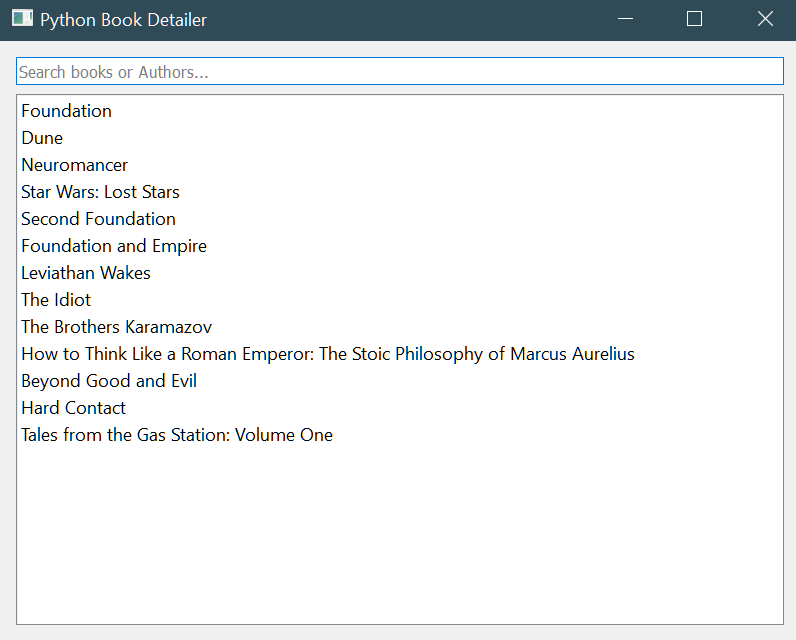
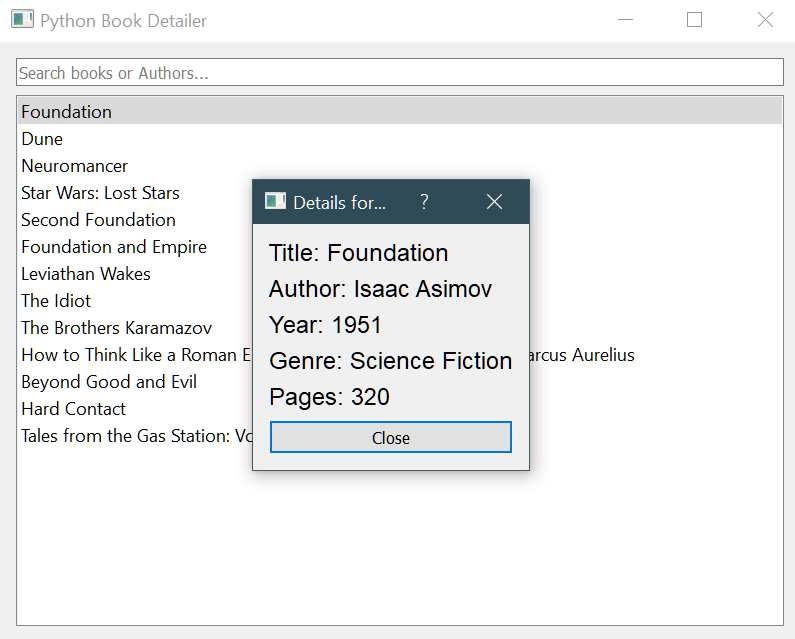
Once a book is clicked on, either searched for or from the initial list, a popup window appears. This window will then show the books data in a clean vertical format.
I would like to add an API to automate book additions from a database. I do not have much experience in APIs right now. Expanding this project would be a great way to increase my API knowledge. This would eliminate the need to add each individual book personally. But as far as the scope of this project is, I find it works in its current state.
Results
The results of this simple Python GUI Book Manager are essentially exactly what I was looking for. Learning and expanding my skills was the main purpose behind this project. There were a couple challenges that I ran into creating this app. The search bar for a while would only allow one search then never reset the initial book list. I thought there was an issue with how the books were added to the list. After some trials, I determined that it was a simple line of code I neglected to add. This line of code cleared the search bar. This mistake prompted me to thoroughly review my code. I aimed to find and fix any other missed closures. These closures would prevent the code from displaying correctly.
 Ken's Portfolio
Leave a comment